Odoo Business-Rules Apps
Business Rules as Settings, Not Scripts
Business rules moved out of hidden scripts into data you can read, version and move.

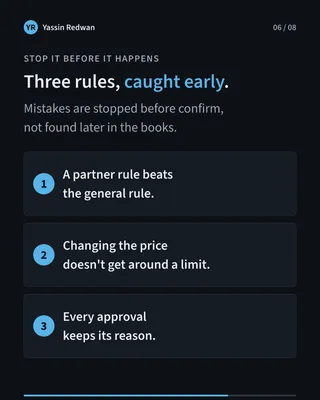

At the company where I work, important business rules were hidden inside small scripts in our ERP. I replaced them with a family of custom Odoo apps where every rule is a setting the team can read, review and move safely from test to live.
It covers sales, purchasing, warehouse and pricing. Mistakes are now stopped before an order or a transfer is confirmed, not found later in the books.
The problem
I noticed that some of our most important rules lived in small scripts inside Odoo, tied to fixed record numbers. A script like that is a black box. Nobody could see what a rule did, check it, or trust it after an upgrade.
Sales had a second gap. Draft prices between a lead and a quotation had no controlled home in the system.
This is the kind of risk that stays invisible until the day a rule quietly stops working.
Constraints
- A live ERP. The rules sit in the middle of daily sales, purchasing and warehouse work. Whatever I built could not slow people down or break a save.
- Upgrades. The more I changed standard Odoo, the harder every future upgrade would be.
- Real money. A wrong price or a wrong quantity on a confirmed order is expensive to unwind.
- Non-developers. The people who own these rules are in operations and pricing. They need to understand a rule without reading code.
- Two environments. Rules are tested first, then moved to live, and that move has to be safe.
What I built
I wanted something stronger than the scripts, but lighter than a full app with its own screens and workflow. So I built one small shared base and one app per business area.
The base gives administrators one menu for all rules, plus an export and import tool. It holds no business rules itself.
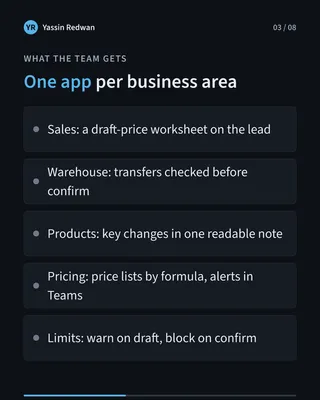
Sales. On the lead there is a draft-price worksheet with cost, price and margin. After the offer expires, only an admin can change it. The purchase request and the quotation follow from the same worksheet, so cost and price come from one place.
Warehouse. Stock transfers are checked against the rules before they are confirmed. A rule written for one partner beats the general rule.
Products. When key fields change, the team gets one readable note instead of a trail of edits.
Pricing. Price lists are generated by formula and rounding. Manual edits are tracked. Purchase prices are captured when goods are received. Alerts go to Teams.
Price limits. Each price rule can carry a quantity ceiling. Odoo shows a warning on a draft and blocks the order on confirm. Every approval to go above the ceiling keeps its reason.
Key decisions
1. One base and one app per area, not one giant module. The alternative was a single “automation” module that does everything. I split it so each area can change, be tested and be upgraded on its own. A pricing change should never put the warehouse rules at risk.
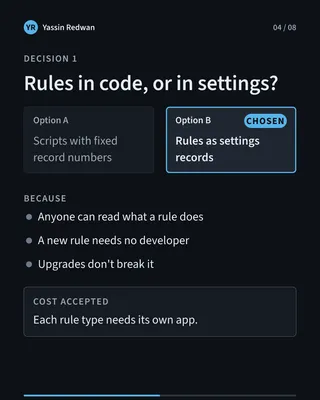
2. Rules are settings, not code. The alternative was keeping the logic in scripts and tidying them. But a tidier script is still a script nobody dares touch. As a setting, a rule has a name, a scope and a note explaining why it exists, and anyone can read it. A new rule becomes a new setting, not a new developer task.
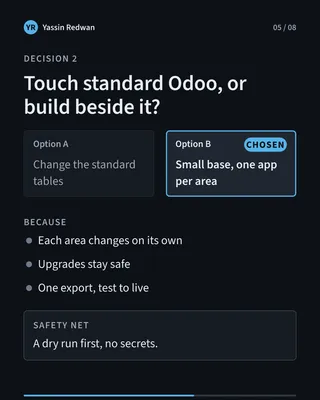
3. Standard Odoo stays untouched unless clearly justified. It would be faster to change Odoo’s own tables whenever a rule needs a field. I kept my work in its own tables and hooked into Odoo’s flows with small, thin connections. That keeps upgrades safe. I say “unless clearly justified” and not “never” because there are a few honest exceptions, such as the quantity ceiling, which needs to sit on the price rule itself.
4. Check before the action completes. The old script ran after a transfer was already done, which is too late. The new checks run when the transfer is confirmed, and there is also a “Check Controls” button for early feedback. I deliberately do not block while a transfer is only being drafted, because purchase and sales flows create drafts before all the details are known.
5. A slow alert must never block a save. The first version of the Teams alerts posted straight to Teams. If Teams was slow, the person saving a price waited. Now an alert is queued and sent separately, with retries. A price can always be saved, and the alert follows.
6. Test to live in one export, after a dry run, with no secrets inside. The alternative was rebuilding each rule by hand in live. The export shows what would change before anything changes, and it leaves out sensitive values such as alert addresses.
7. A limit that cannot be gamed. A quantity ceiling is checked against the price rule Odoo actually applied. Editing the price by hand does not get around it. Approvals cannot be edited or deleted afterwards, and each one needs a reason.
Outcome
The work ran from May to August 2026: the CRM app first, then the shared base and four rule apps.
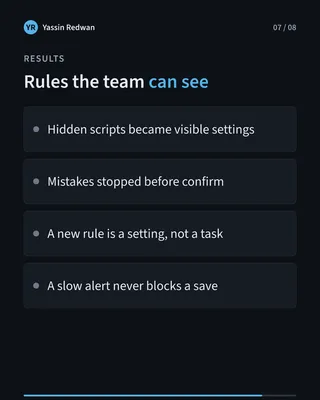
- Rules that lived in hidden scripts are now settings the team can see and review.
- Mistakes are stopped before an order or a transfer is confirmed, not found later in the books.
- A new rule is a new setting, not a new developer task.
I do not have usage numbers yet, such as how many orders were blocked or how much time was saved, and I will not guess them. When I have them, I will add them here.
Takeaway
A business rule should be something you can read, check and move, not a script nobody dares touch.