Odoo + OneDrive Storage
Reuse Before Rebuild
Attachments moved off the server into OneDrive; in daily use since.
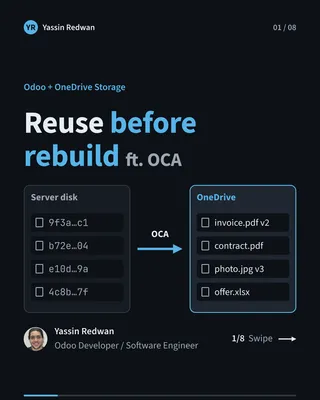

At the company where I work, every file attached in our ERP, Odoo, used to sit on the server’s own disk. I moved those attachments into Microsoft OneDrive, and every file can still be found by its own name.
It has been in daily use at the company since. The build took about a month, testing included, and nobody asked for it. I noticed the problem and decided to fix it.
The problem
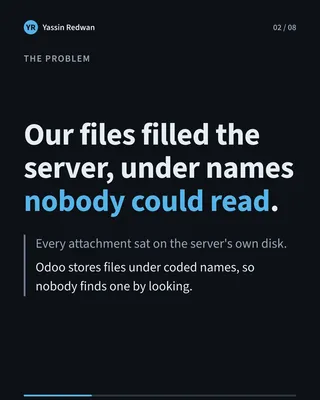
I noticed that our files sat on the server’s own disk, and I wanted them off it. A business system keeps collecting invoices, scans and documents. A server disk is the wrong place to let that pile grow.
Moving files to cloud storage created a second problem. Odoo stores files under coded names, not the names people gave them. On the server that is invisible, because Odoo finds the file for you. On remote storage it is a real cost: nobody can open a folder, look for a file by its name and find it. If something goes wrong with a record, the file is there but nobody can tell which one it is.
So the job had two parts. Get the files off the server, and keep every file findable by a human.
Constraints
- A live system. Odoo is the ERP the company runs on. I could not experiment on it and leave it broken.
- Code for a different setup. The open-source Odoo community (OCA) already had cloud-storage code. Part of it was built for a newer Odoo, on a newer server setup than ours.
- Background work. Odoo runs scheduled jobs on its own, with no person logged in. Those jobs still had to reach OneDrive.
- A lot of existing files. The files already on the server had to move too, over a connection that is sometimes slow.
What I built
Odoo still stores each file the way it always did, under its coded name. That remains the primary copy, and the system reads from it.
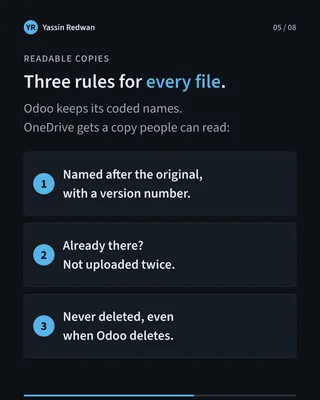
What changed is where that primary copy lives, and what happens beside it. The primary store now sits in OneDrive instead of on the server’s disk. Every time a new file is uploaded, a second copy is saved next to it, named after the original file and carrying a version number. The team sees real names in OneDrive, with a file’s versions side by side.
If a file is already in OneDrive, it is not uploaded again. Scheduled jobs sign in with a real user’s Microsoft connection, so they keep working without anyone present. For the files already on the server, I wrote a migration that moves them in batches and retries automatically when the connection slows or fails.
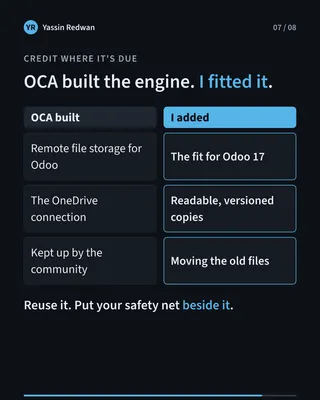
The community code does the heavy lifting of talking to OneDrive. My part is the readable copies, the sign-in for background jobs and the migration, and it sits beside the community code.
Key decisions
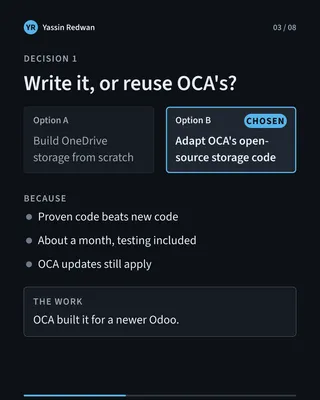
Reuse before rebuild. I could have written the whole storage connection myself. Instead I adapted the community’s proven code to our version. The alternative looked cleaner, but it would have taken longer and given me more to get wrong. Proven code, adapted, beats new code that has not met real use.
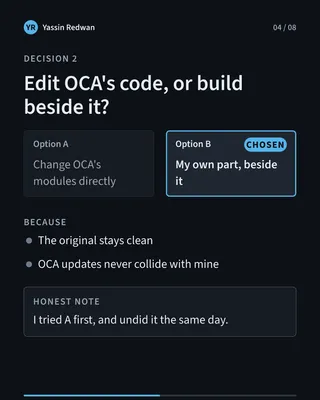
Leave the original untouched. My first try changed the community code directly. I undid that the same day and built my part beside it. The alternative, editing in place, works on day one and hurts later: every community update would collide with my changes. This way their updates still apply, and my work is easy to see and remove.
Readable copies beside the primary store. I did not replace Odoo’s coded names. I kept them as the primary and added a copy named after the original. The alternative was changing how Odoo names everything. That touches the core of the system. A copy next to it gives the team what they need and risks nothing.
Copies are never deleted. Deleting a file in Odoo never removes its copy. I accepted the cost: the copies only grow. The alternative was to keep the two in sync, and then a mistaken delete would take the copy with it. This way, a file deleted in Odoo can still be recovered from its copy. A wrong delete costs some storage, not a lost document.
Background jobs sign in as a real user. Scheduled work needs a Microsoft connection of its own, and the job robot has none. I let those jobs reuse a real user’s connection, so no Microsoft passwords are stored in Odoo. The alternative was a setup where scheduled work quietly stops reaching OneDrive.
Do not upload twice. A file that is already there is not uploaded again. It saves time and calls to Microsoft, and it keeps a retried migration from repeating work.
Outcome
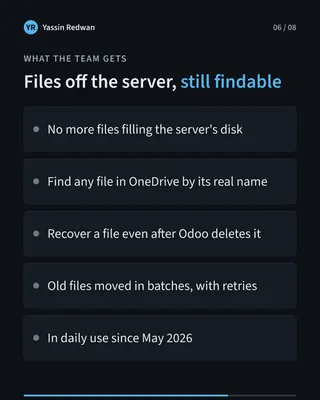
- Files no longer fill the server’s disk.
- A file can be found in OneDrive by its real name, with its versions.
- A file deleted in Odoo can still be recovered from its copy.
- The system is in daily use at the company. The build took about a month, testing included.
I do not have a measured saving in gigabytes or cost to quote, so I will not invent one. What I can say is what the team gets, and that it has been running since.
The limits are plain. The copies live in the same OneDrive as the originals. They help with finding and recovering files. They do not protect against losing the drive itself. I would rather say that here than have someone find out later.
What I’d do next
The gaps are the ones above: the copies share a drive with the originals, they only grow, and a file uploaded before the feature was switched on has no readable copy. Those are the first places I would look.
Takeaway
Reuse what the community built. Add your safety net beside the original system, not inside it.